Platform
Every part of the programme, in one connected record.
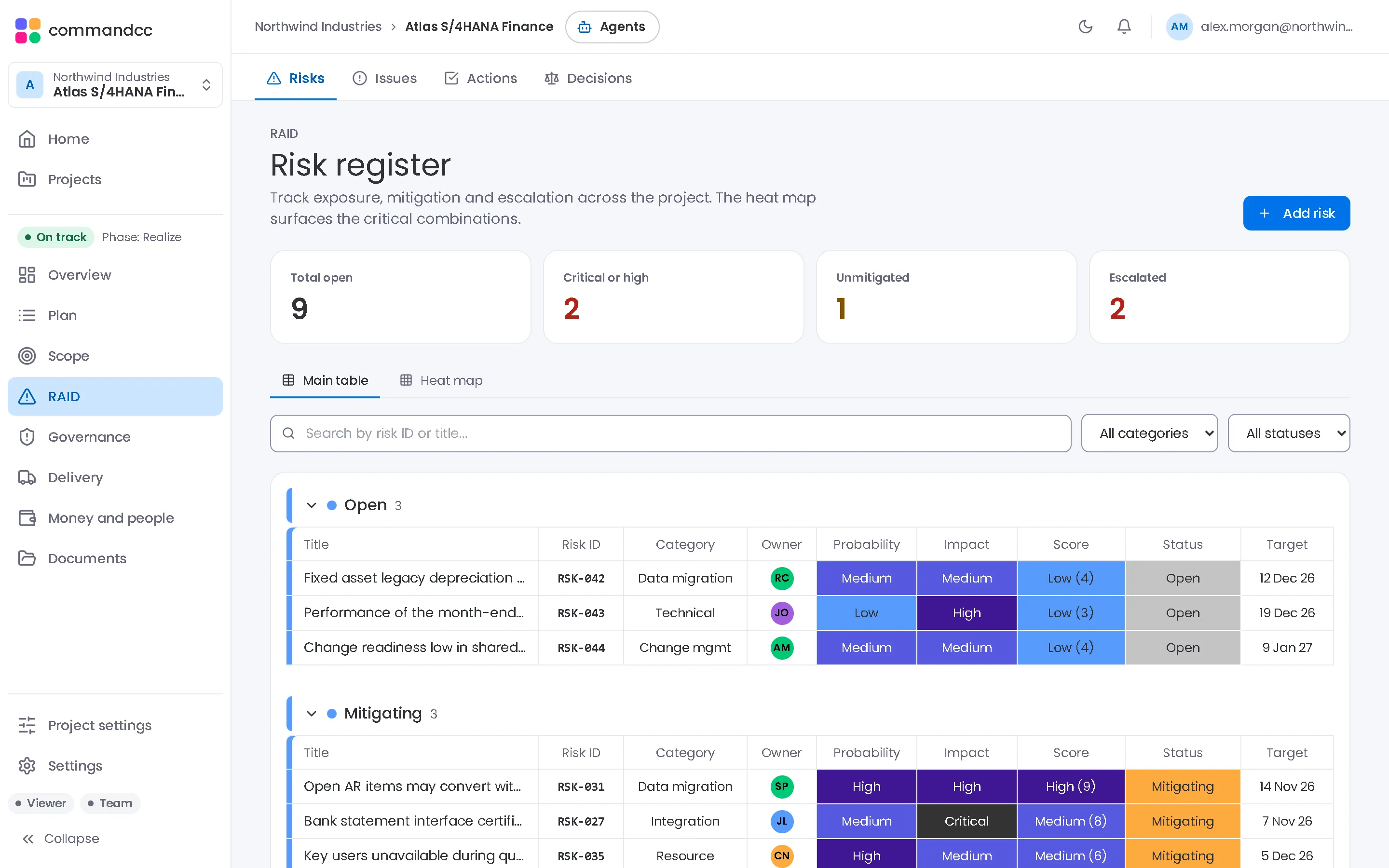
CommandCC organises an enterprise application programme into nine modules. They share one record, so a risk links to the task it threatens, a change request links to its cost, and a failed test becomes an issue.
It works the same way for SAP S/4HANA, Oracle Fusion, Workday, Salesforce and Microsoft Dynamics programmes, and for the integrations around them.

Nine modules, one programme record
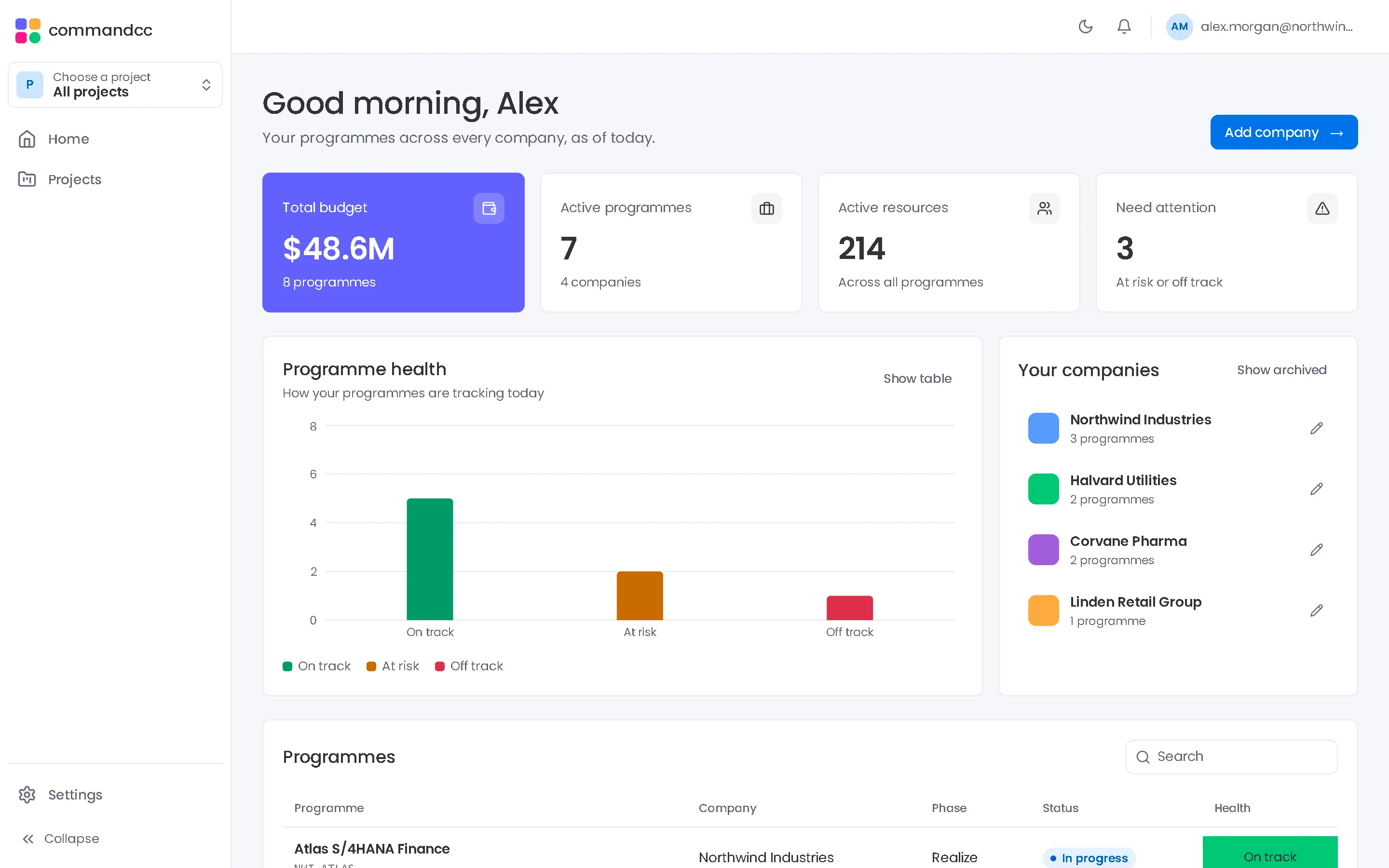
Portfolio and reporting
Health, status reports and the executive summary across every programme.
- Executive summary
- Dashboard
- Status reports
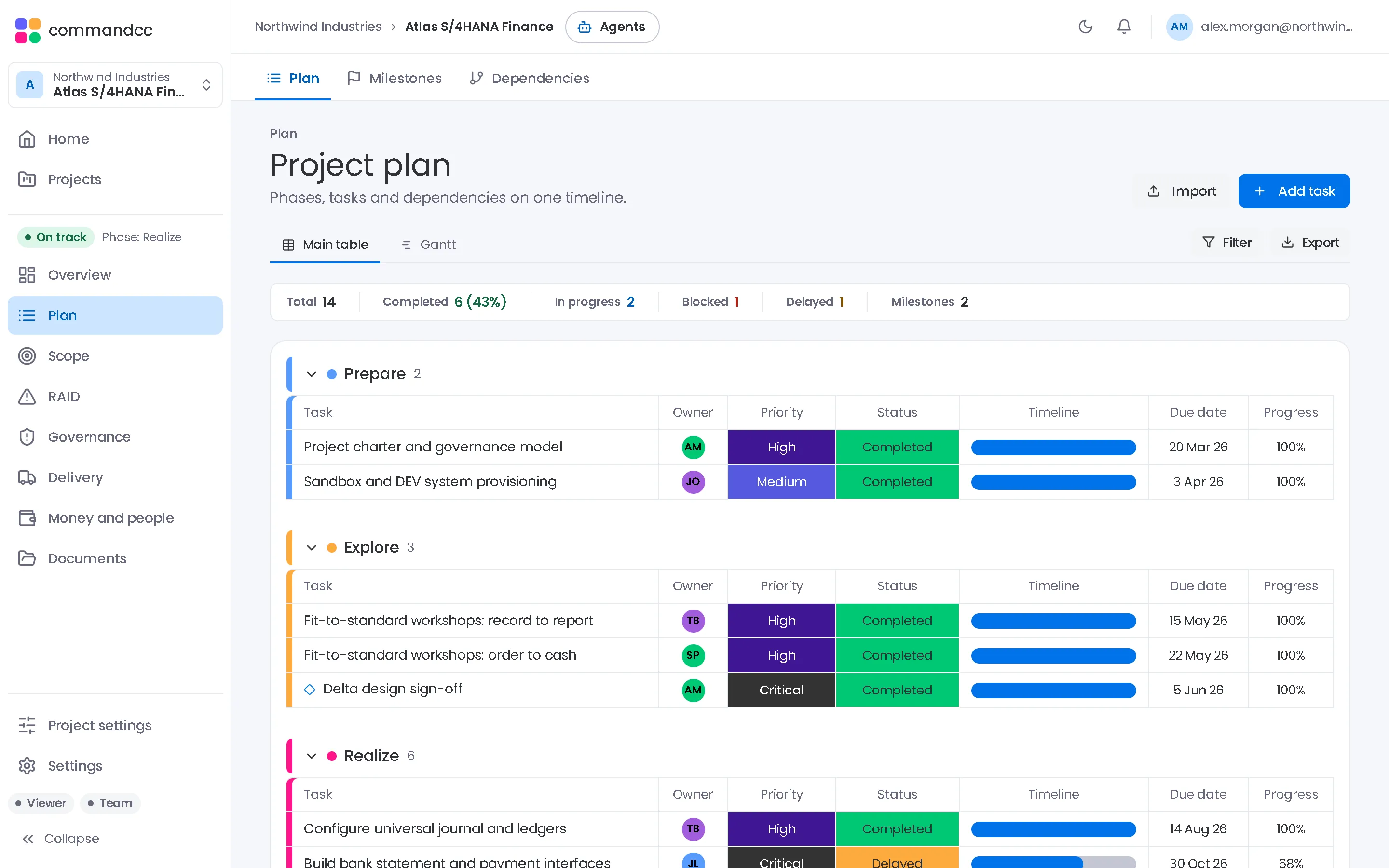
Planning
Plans, milestones and dependencies with a Gantt view and MS Project import.
- Plan
- Milestones
- Dependencies
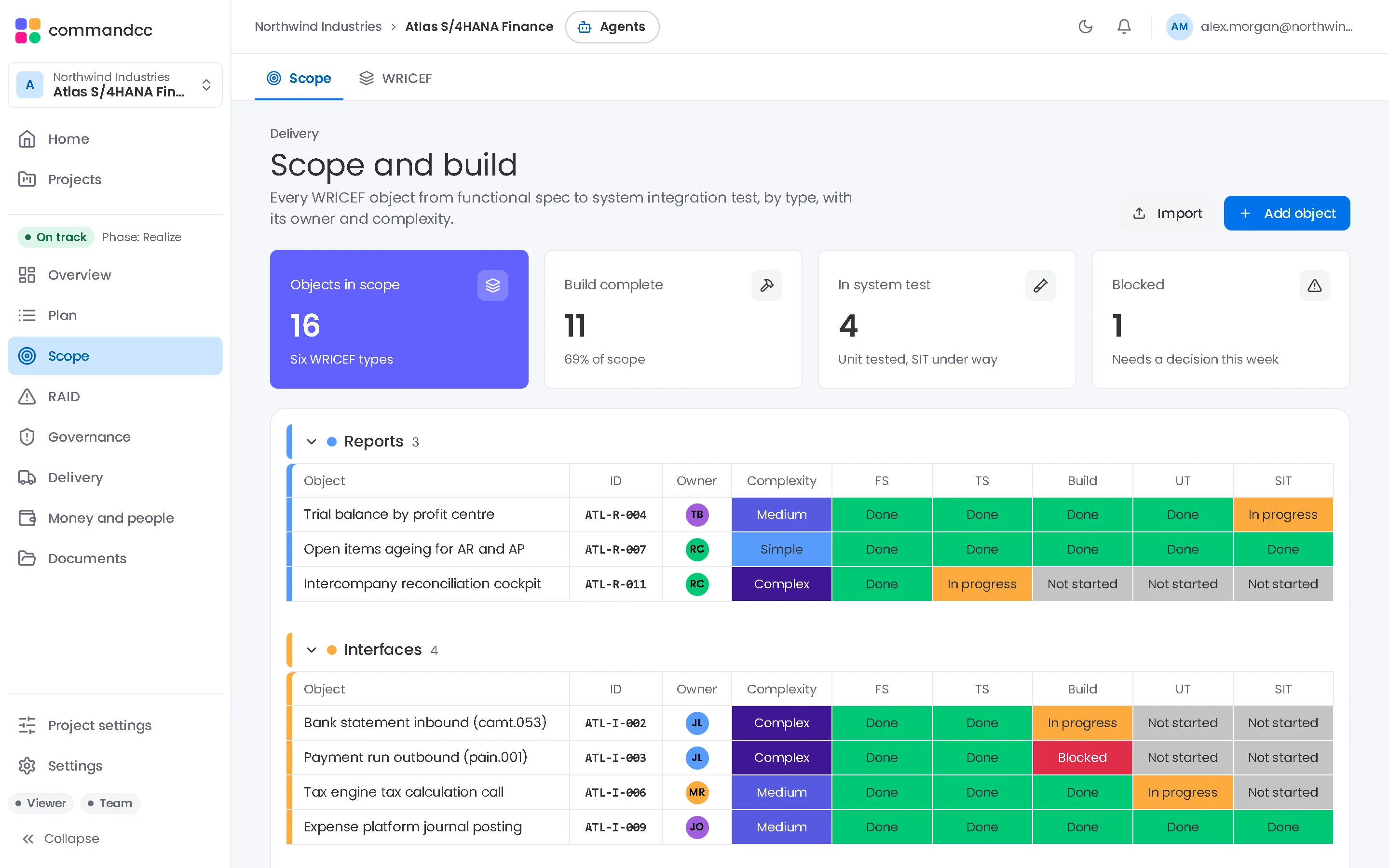
Scope and build
The scope baseline, change requests and every build object from design to UAT.
- Scope
- WRICEF
- RAIDRisks, issues, actions and decisions in linked registers.
- GovernanceQuality gates with signed criteria, meetings with minutes, and lessons learned.
- TestingTest cycles, scenarios and cases, with defects raised as issues.
- CutoverA timed runbook with owners, predecessors and go or no-go sign-off.
- Budget and resourcesPlan against actual spend, and who is allocated to which workstream.
- AI assistantA health reading of the programme with concerns, warnings and next steps.
Dashboards, sign-off and an assistant, built in.
Build the view each audience asks for, collect signatures on the records that need them, and tell CommandCC what changed instead of typing it into every register.
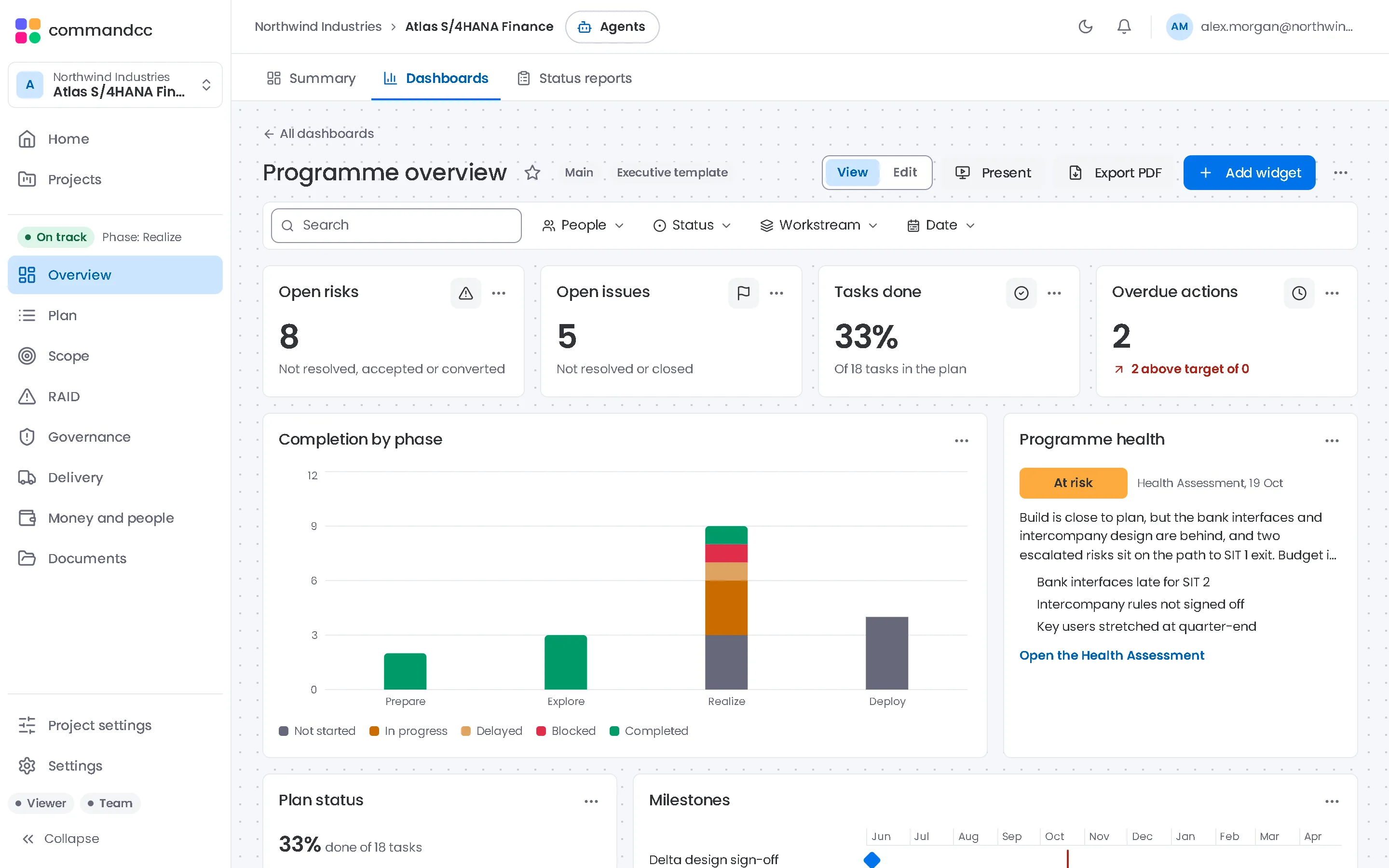
Dashboards and widgets
A dashboard for every audience, from the same record.
Start from a template or a blank page and add widgets that read the live registers. Quick filters for people, status, workstream and date apply to every widget at once, and the filtered view stays in the link you share.
- Nine widget types, from numbers, charts and battery to workload and agent findings
- Templates for an executive view, RAID, testing, cutover and budget
- Present mode cycles the widgets on a meeting-room screen
- Export to PDF for the steering pack
Built-in e-signature
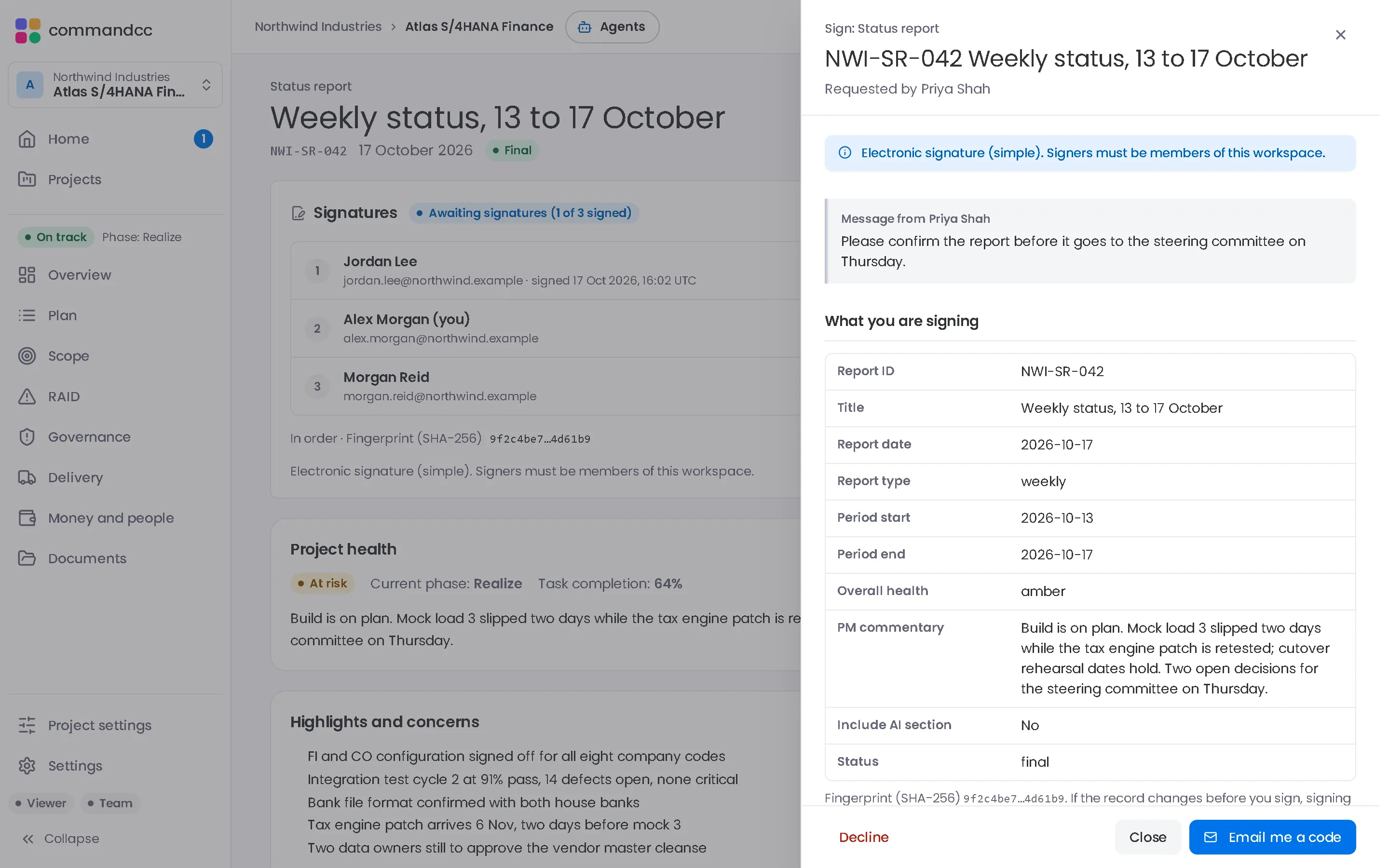
Sign-off that stays with the record.
Request signatures on a quality gate decision, a final status report, a change request, a document or the cutover go or no-go. Each signer reviews a read-only snapshot, types or draws a signature, and confirms with a one-time code sent to their account email.
- Signers in a set order or all at once
- A fingerprint flags a record that changed after signing
- A signature certificate PDF, filed in the Documents register
- My signatures on Home lists what is waiting for you
An ordinary electronic signature at the simple level, not a qualified one. Signers must be members of the workspace.
Assistant and voice
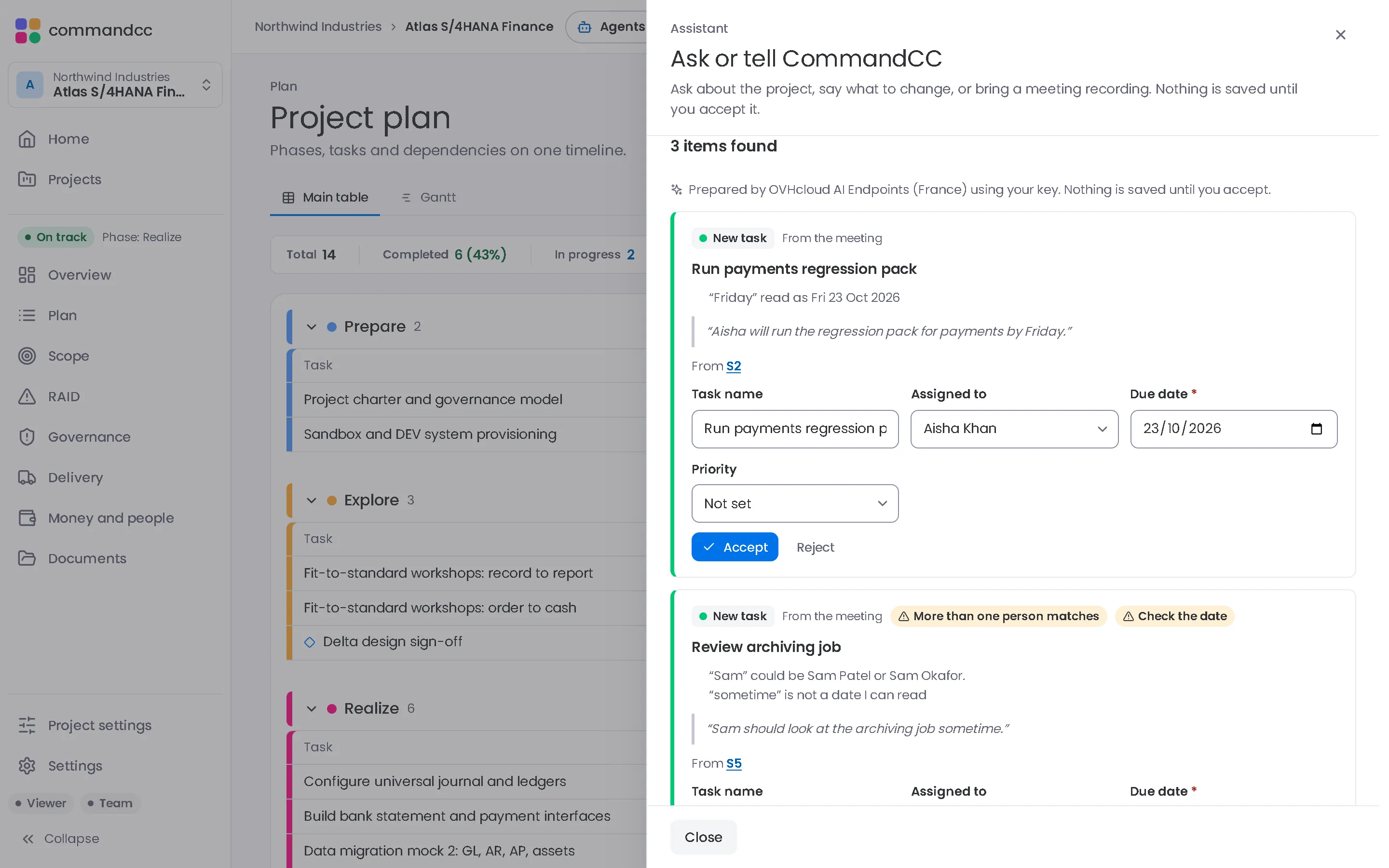
Type it, say it or bring the meeting.
Speak to CommandCC opens one place to ask a question, say what changed or import a meeting recording. The assistant proposes the changes with links back to what was said, and you accept the ones you want.
- A meeting becomes proposed tasks, risks, issues, actions and decisions, each linked to its passage in the transcript
- What is overdue, blocked or changed this week, answered from your records with links to them
- A weekly report draft that keeps the facts from the records apart from the assistant's suggestions
- Accept, edit or reject each proposal: nothing is saved until you accept
AI is optional: each person turns it on in their own settings, a company admin can block it for the company, and each person uses their own key. Questions answered straight from the records need no AI call. The mic stops at 5 minutes; an imported meeting can be up to 30 minutes and 25 MB.
Each module feeds the others
From plan to evidence
Tasks, milestones and dependencies set the plan. Gates, test cycles and the cutover runbook show that the plan was delivered.
Registers that link
Risks, issues, actions and decisions link to tasks, meetings and each other, so the log explains what happened instead of only listing items.
Money follows decisions
Approved change requests feed the budget, and the resource plan shows what the team will cost.
Available in every module
Documents
A register of programme documents with type, version, author, reviewer and status, with the files stored alongside.
Roles
Seven roles, from administrator and programme manager to consultant, viewer and stakeholder, at company and programme level.
Audit log
Changes made through the app's record forms are logged with who made them and when, for administrators to review.
Several companies, one account
Consultants and integrators who work with several clients see each company separately from one sign-in.
Imports from the tools you use
MS Project XML, Excel and CSV for plans, and Excel templates for test cases and cutover runbooks.
Light and dark themes
Switch between light and dark themes, and the app remembers your choice.
Platform questions
Is CommandCC only for SAP programmes?
No. CommandCC works for any enterprise application programme. Some defaults show where it started: build objects use the WRICEF types and the default quality gates follow the SAP Activate phases.
Does CommandCC connect to our SAP, Oracle or Workday system?
No. CommandCC manages the programme, not the application, and does not read from or write to the system you are implementing. Plans, test cases and runbooks come in through MS Project XML, Excel and CSV imports.
Does CommandCC replace Microsoft Project or Jira?
It can replace Microsoft Project for the programme plan, and it imports MS Project XML to get you started. Teams that track development work in Jira can keep doing so. CommandCC holds the programme view: plan, registers, gates, tests and cutover. See the current integration status on the security page.
What kind of electronic signature does CommandCC use?
An ordinary electronic signature at the simple level, not a qualified one. Signers must be members of the workspace. Each reviews a read-only snapshot of the record and confirms with a one-time code sent to their account email. When everyone has signed, a signature certificate PDF with the record's fingerprint, the signers and the event log is filed in the Documents register. If your process needs a qualified or advanced signature, use a dedicated provider for that record.
Where is our data stored?
In Supabase, a managed Postgres platform, with the application served by Vercel. AI requests go from your device straight to the provider you choose, with your own key, and CommandCC does not receive them or store recordings. The security page lists every sub-processor and explains how access is controlled.
Is there a desktop or mobile app?
You can install CommandCC from your browser today: Chrome or Edge on Windows and Mac, Safari on a Mac, iPhone and iPad, and Chrome on Android. It is the same app in its own window, with its own icon, signed in with the same account, and it can already turn speech into text on the device when you choose on-device speech in Settings. There are no CommandCC apps in the App Store or Google Play, and there is no installer to download.
See the platform with your programme in mind.
Tell us which application you are implementing and how you run the programme today. We will walk through the modules that matter most to you.