Portfolio and reporting
Status reports that come from the programme, not from a slide deck.
CommandCC builds the executive summary from the plan, the registers, the budget and the gates. Schedule, budget and quality health sit on one page, next to the highest scoring risks and the progress of each phase.
When the week closes, the programme manager takes a snapshot, adds commentary and marks the report final. Leaders read every programme in the same format, across every company they work with.

Portfolio and reporting
Health, status reports and the executive summary across every programme.
What the module covers
One executive summary per programme
Schedule, budget and quality health, completion by phase, the phase timeline and the highest scoring risks, all read from the records the team already keeps.
A dashboard for the detail
Charts for tasks, build objects, risks, issues, budget against plan, test cycles, decisions and resource allocation, so a question in the steering committee has an answer on screen.
Weekly and monthly status reports
Take a snapshot, write the commentary that only the programme manager can write, and mark the report final. Earlier reports stay in the history.
A portfolio across companies
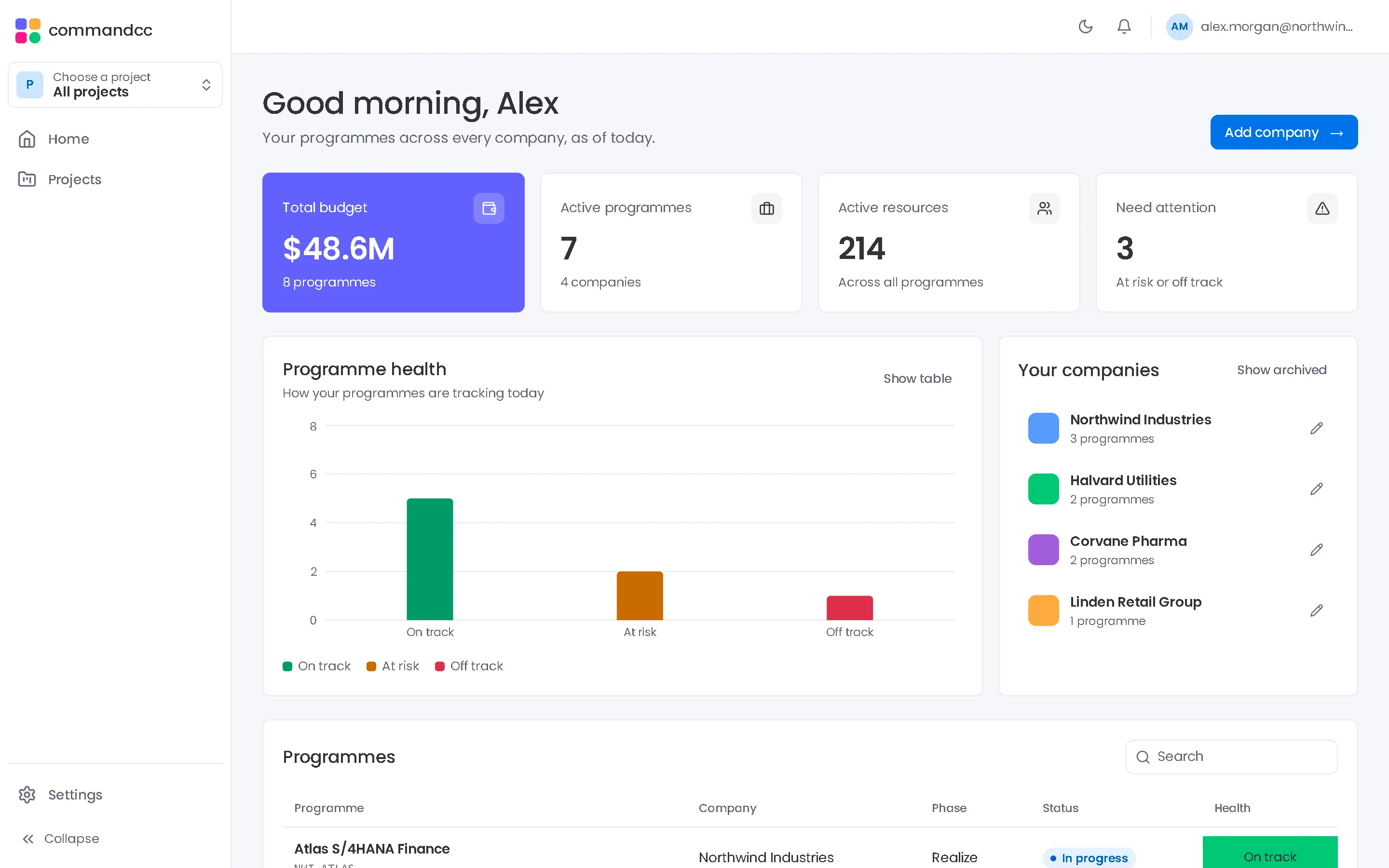
The home view lists every company and programme you can see, with health, budget, programme counts and resources. Each company view filters its programmes by status, health and type.
In the app, this module is these workspace tabs:
- Executive summary
- Dashboard
- Status reports
How a programme uses it
The team updates its own records
Workstream leads keep tasks, risks, issues and test results current in the modules they own.
The summary updates itself
Health, phase progress and top risks recalculate from those records. Nobody copies numbers into a template.
The programme manager signs the report
A short commentary explains what the numbers mean. The report is marked final and shared with the steering committee.
Where it helps most
Client-side PMOs
Run the weekly status cycle from the records the workstreams already keep, and spend the saved time on the commentary.
CommandCC for client-side PMOsCIOs and programme directors
Read every programme in the same format, and open the detail behind any number before the steering committee meets.
CommandCC for CIOs and programme directors

Portfolio and reporting: common questions
Does CommandCC replace our status report template?
For most programmes, yes. A status report holds a snapshot of the programme and the programme manager's commentary. If your steering committee needs a fixed slide format, the executive summary and dashboard give you the numbers to put on it.
Who can see the portfolio view?
People see the companies and programmes they are members of. A consultant who works with three clients sees three companies. A client employee sees their own.
See this module with your programme in mind.
Tell us which application you are implementing and where the programme is today. We will show you how this module would hold your work.