Planning
A programme plan the whole team works from.
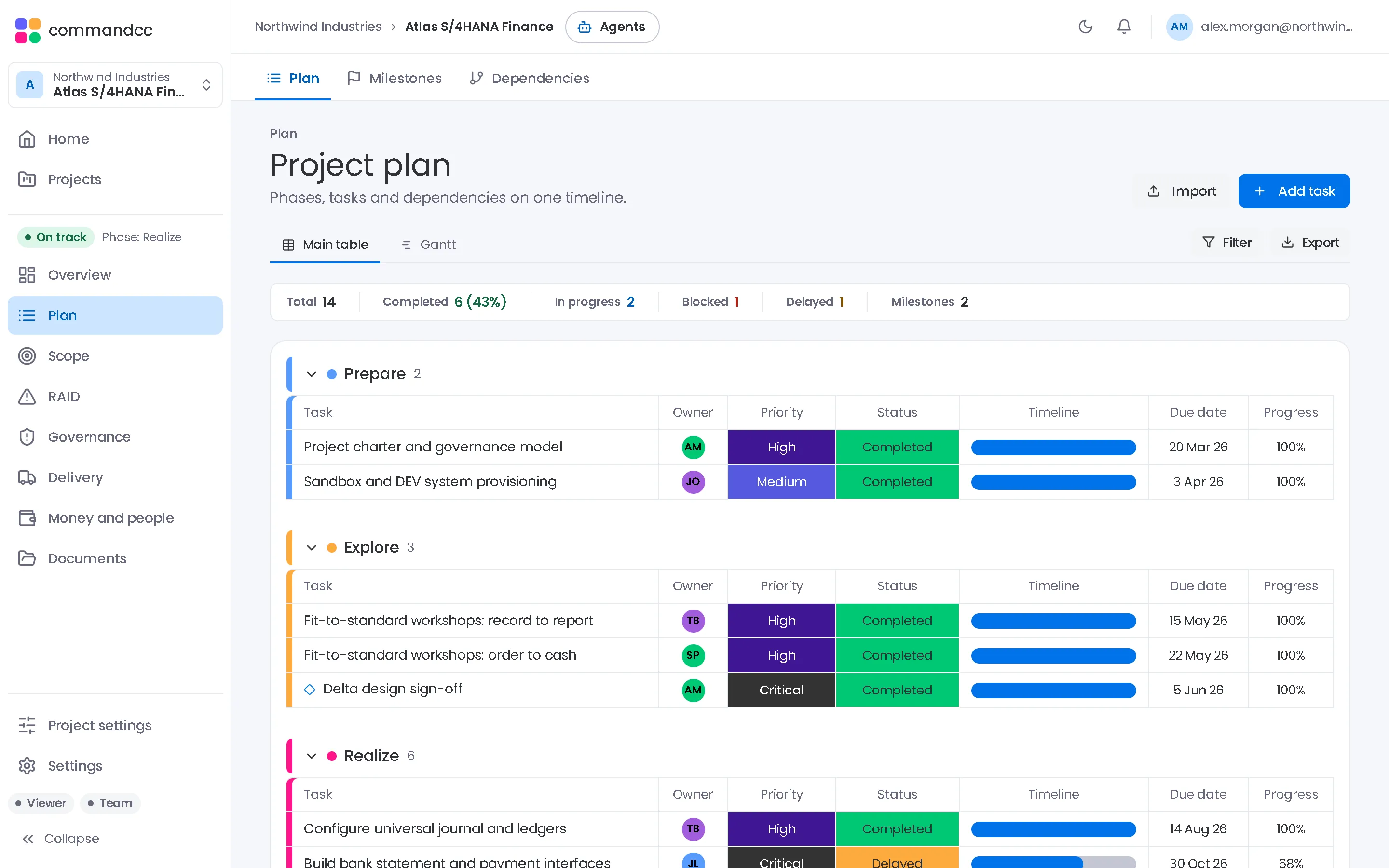
Build the plan as phases, tasks, subtasks and milestones, or import it from MS Project XML, Excel or CSV. A Gantt view zooms from weeks to quarters, and filters narrow it to one workstream or one person.
Milestones such as phase gates, UAT sign-off and go-live sit on their own timeline. Dependencies record the link type and the lag, and flag the links that cross from one workstream to another.

Planning
Plans, milestones and dependencies with a Gantt view and MS Project import.
What the module covers
Phases, tasks and milestones
A four-level plan with owners, dates, status and workstream. Filter it by phase, status, workstream or assignee.
Import the plan you already have
Bring in MS Project XML, Excel or CSV files and map their columns to CommandCC fields. Export the plan to Excel when someone needs it offline.
Milestones in one view
The next three milestones, a milestone timeline and the full list, for phase gates, UAT sign-off, go-live and the other dates leaders ask about.
Dependencies with their type
Finish to start, start to start, finish to finish and start to finish links, with lag in days. Links between workstreams are flagged automatically.
In the app, this module is these workspace tabs:
- Plan
- Milestones
- Dependencies
How a programme uses it
Import or build the baseline
Start from an MS Project export or a spreadsheet, then assign owners and workstreams.
Link the work
Record the dependencies that matter, especially the ones that cross from one workstream to another.
Track against the milestones
Workstream leads update their tasks. The milestone view shows which dates are safe and which need attention.
Where it helps most
System integrators
Import the plan from your delivery method, then run it in the same workspace your client reads.
CommandCC for system integratorsIndependent PMs and advisors
Bring a client's existing MS Project file in on the first day instead of rebuilding it.
CommandCC for independent PMs and advisors

Planning: common questions
Can we import Microsoft Project files?
Yes, as MS Project XML. Save the plan from Microsoft Project as XML, import it and map the columns. Native .mpp files are not read directly. Excel and CSV imports work the same way.
Is there a Gantt chart?
Yes. The plan has a Gantt view with week, month and quarter zoom, next to the list view.
See this module with your programme in mind.
Tell us which application you are implementing and where the programme is today. We will show you how this module would hold your work.