For system integrators
Deliver every client programme the same way, and let the client see the evidence.
An integrator's method is only as good as the way each programme team applies it. When every engagement keeps its own spreadsheets, quality depends on who happens to be running it.
CommandCC gives each client programme the same structure for plans, build objects, RAID, gates, tests and cutover. Clients join as members with their own roles, so status conversations start from shared records.

System integrators
Run each client programme the same way and show your client the evidence.

Problems CommandCC is built to remove
Every engagement starts from scratch
Templates live in old projects. Each new programme rebuilds its trackers and loses what the last one learned.
Clients challenge the status
Without a shared view of build objects, tests and defects, the steering committee debates the numbers instead of the decisions.
Cutover risk sits with you
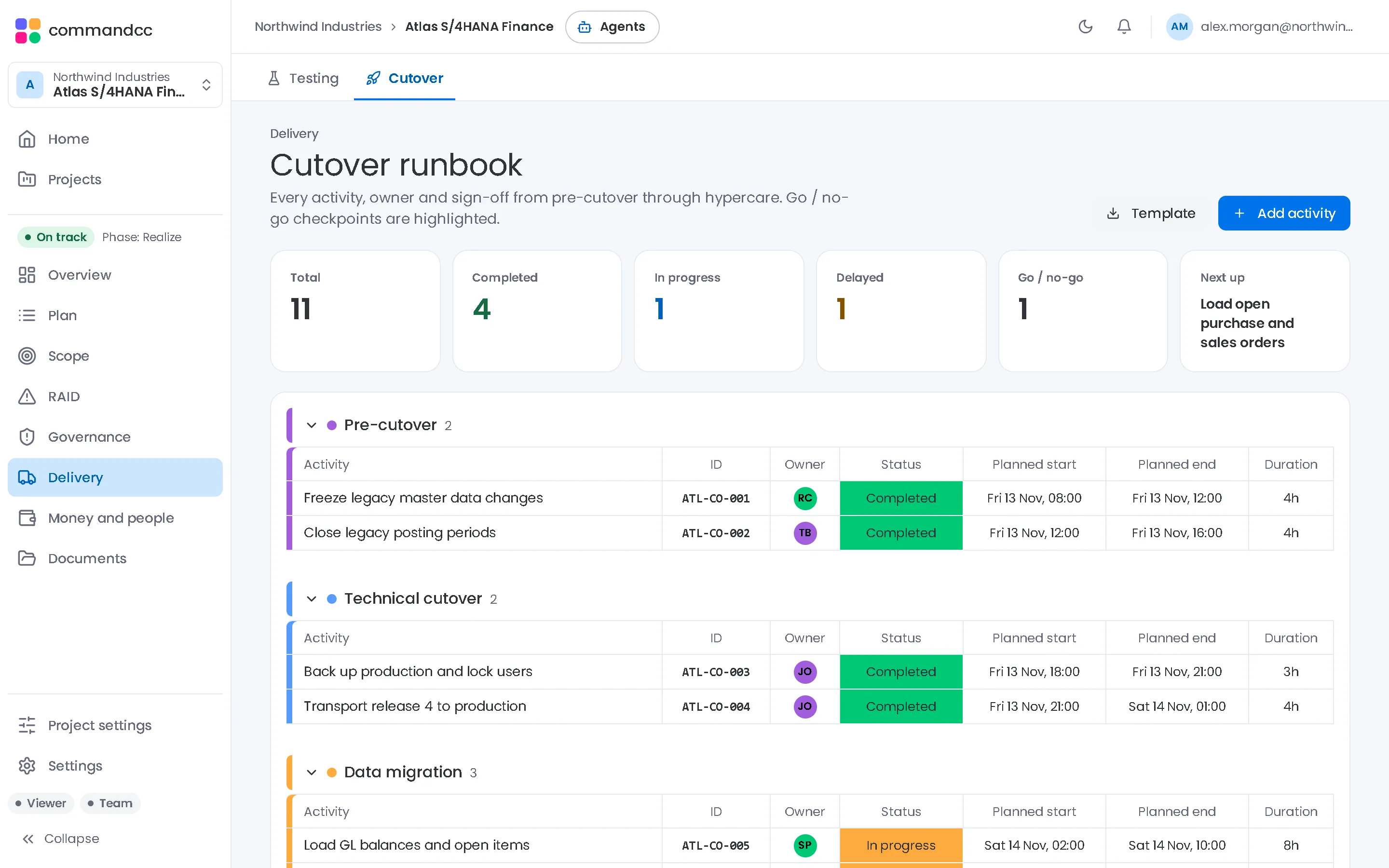
A runbook in a spreadsheet makes it hard to see variance and downstream impact during the cutover weekend.
The modules that matter most
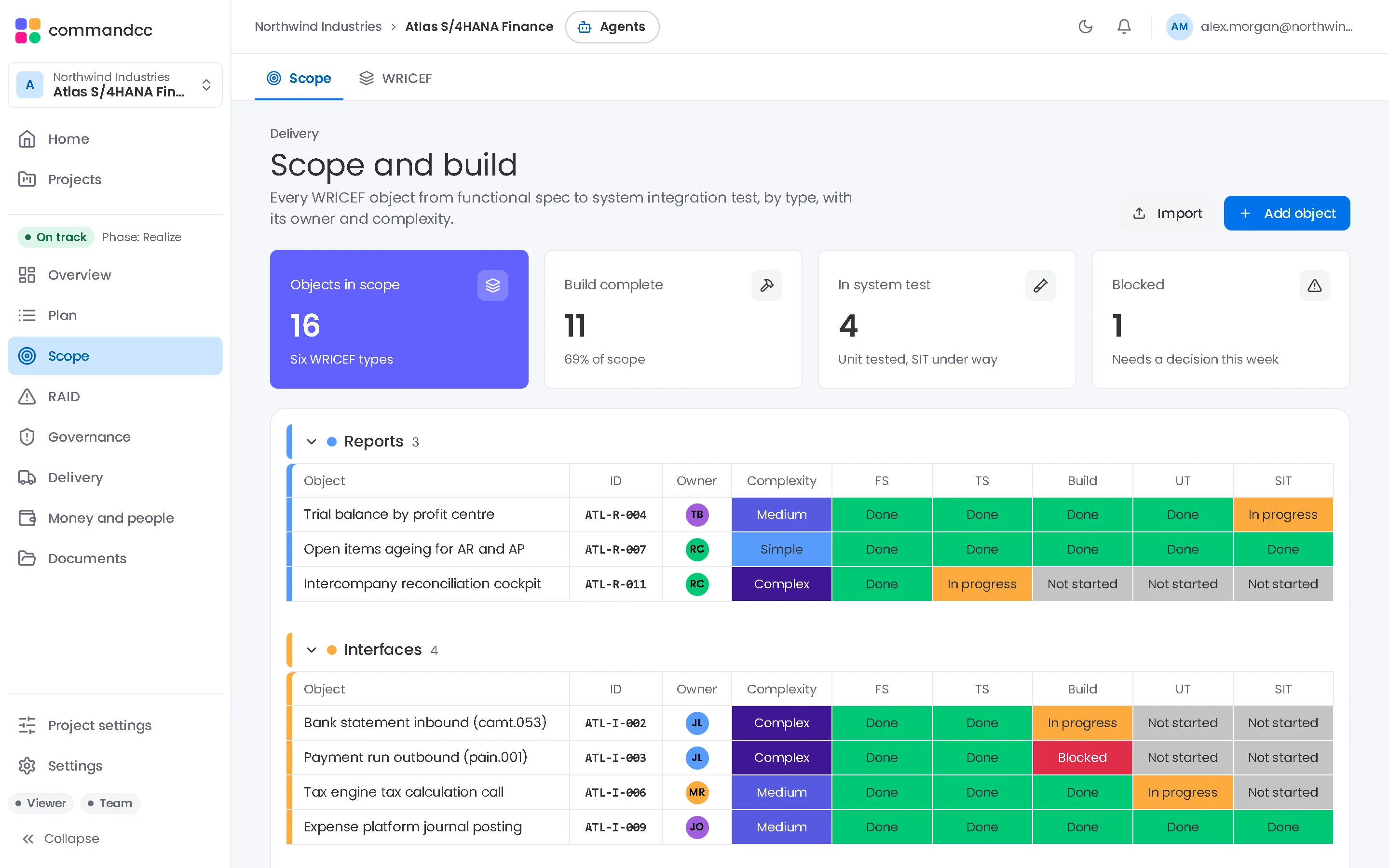
Scope and build
Every build object through six stages, and change requests with a written impact.
- Scope
- WRICEF
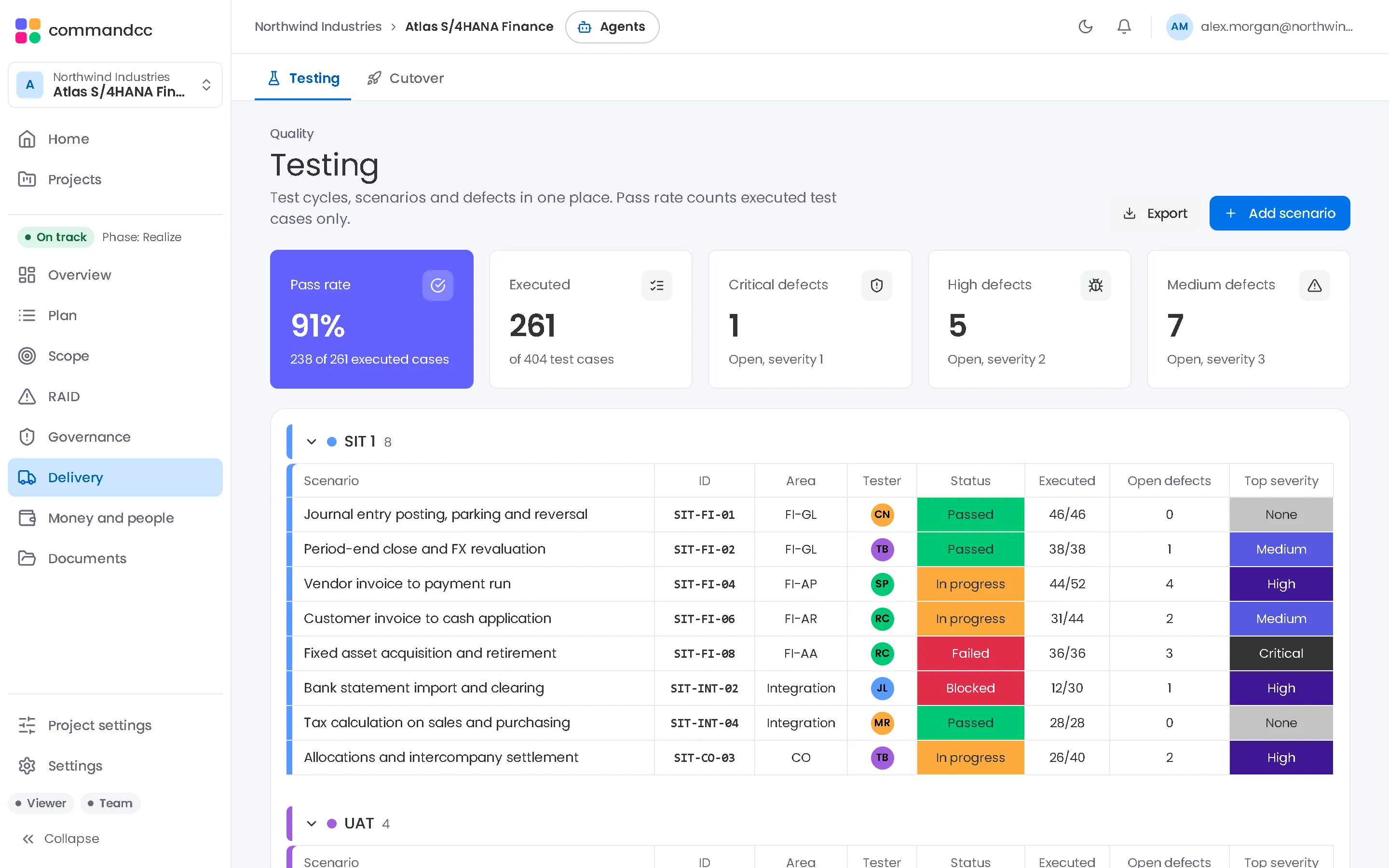
Testing
Cycles from unit test to cutover dry run, with defects raised as issues.
- Testing
Planning
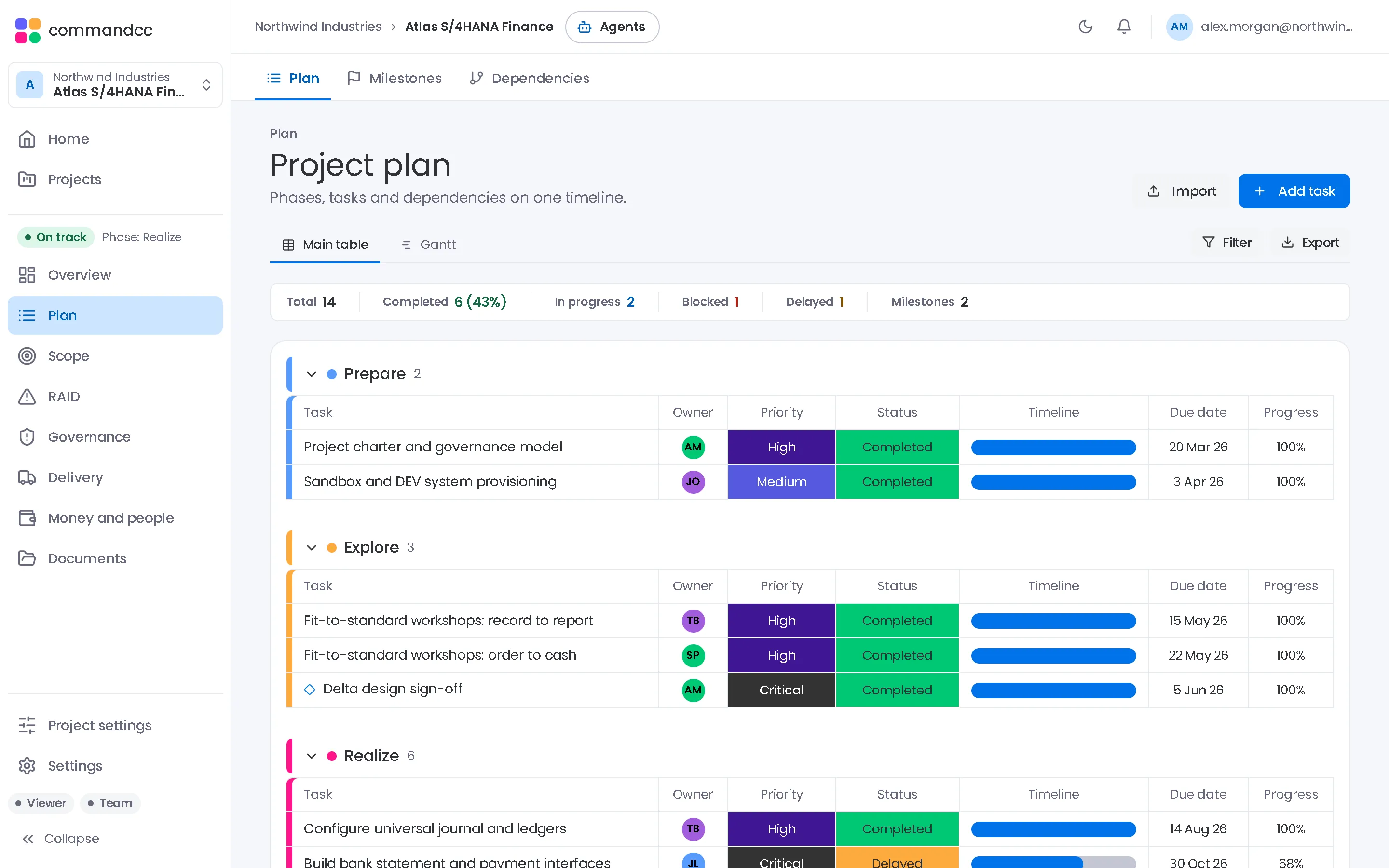
Import the plan from MS Project XML, Excel or CSV and track it in a Gantt view.
- Plan
- Milestones
- Dependencies
Starting a new client programme
- Create the client company and the programme, and invite your team and the client's leads with their roles.
- Import the plan from your method's MS Project or Excel template.
- Load the build object list from the design phase and assign functional and technical owners.
- Import the test cases for the first cycle from the Excel template.
- Agree gate criteria and owners with the client at the start of each phase.
Common questions
Can one consultant work across several clients?
Yes. One account can belong to several companies, and each client's programmes stay separate.
Can the client see everything we see?
Clients join with their own roles. Stakeholders have a limited role on every plan. On Enterprise, each role also sets what that person can edit.
Talk to us about the programmes you run.
Tell us how many programmes you run, which applications they implement and how you report today. We will show you CommandCC from your seat.