Scope and build
Know what is in scope, what changed and what is built.
The scope baseline records what the programme agreed to deliver. Every change request carries its budget and timeline impact and an approver, and an approved change can create its cost entry in the budget.
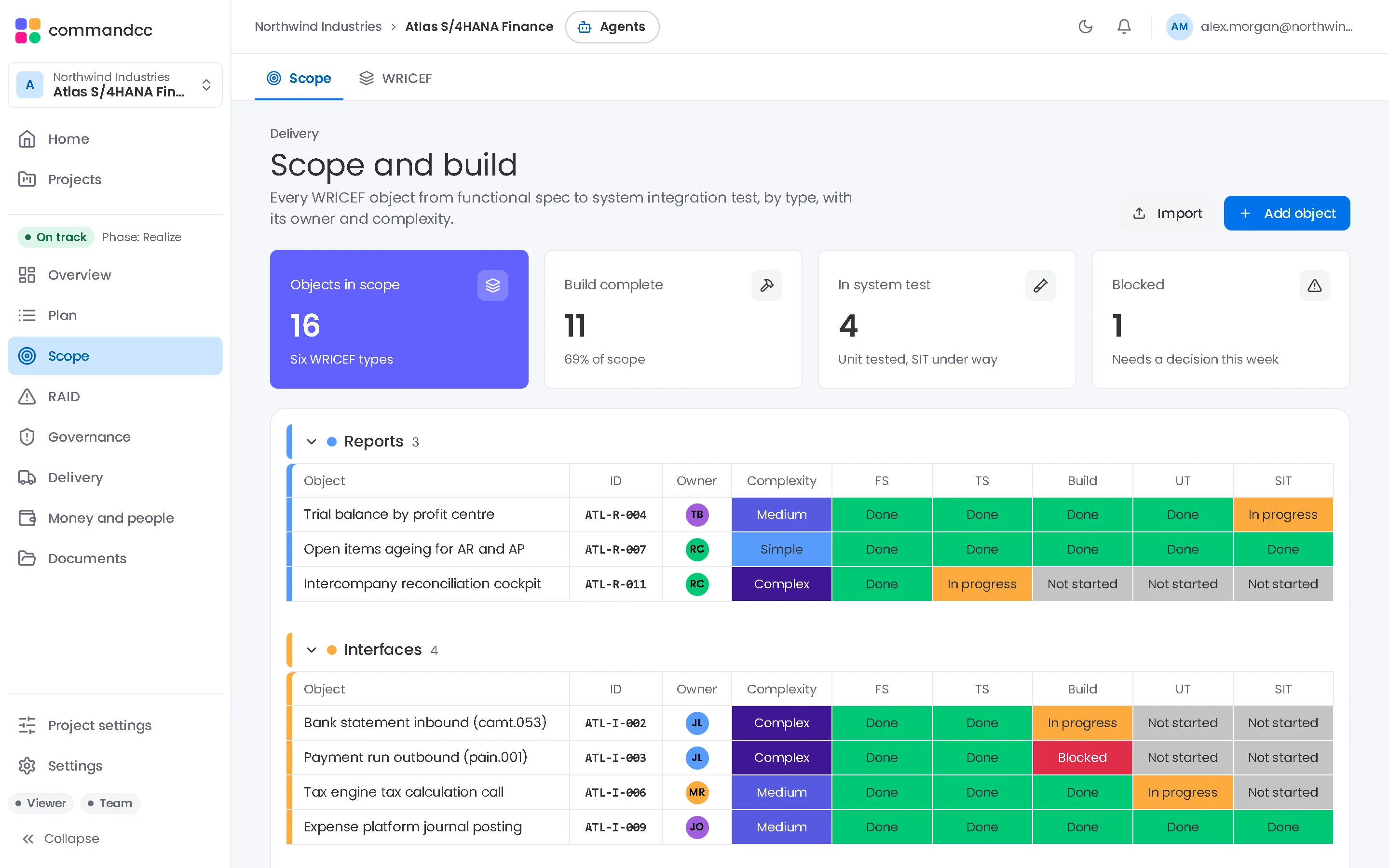
Build objects, called WRICEF or RICEFW depending on the method, move through six stages from functional specification to user acceptance test, with their owners and transports.

Scope and build
The scope baseline, change requests and every build object from design to UAT.
What the module covers
A baseline you can point to
Scope items with their status, kept apart from change requests and from archived items.
Change requests with consequences
Each request states its budget and timeline impact and who approves it. Approving a change offers to record its cost against the budget.
Build objects by type
Workflows, reports, interfaces, conversions, enhancements and forms, each with its complexity and its functional and technical owners.
Six stages to done
Functional spec, technical spec, development, unit test, integration test and UAT, with development, quality and production transports. Switch between a table and a board.
In the app, this module is these workspace tabs:
- Scope
- WRICEF
How a programme uses it
Agree the baseline
Record the scope items the programme committed to at the end of design.
Assess each change
Raise a change request with its impact on budget and dates, and route it to the approver.
Move objects through the stages
Developers and leads update each build object as it passes a stage, so the remaining work is a count rather than a guess.
Where it helps most
System integrators
Show the client the stage of every build object instead of a percentage on a slide.
CommandCC for system integratorsClient-side PMOs
Hold every change request to a written impact before it reaches the change board.
CommandCC for client-side PMOs

Scope and build: common questions
Our method calls them RICEFW. Does that matter?
No. The object types are the same six: workflows, reports, interfaces, conversions, enhancements and forms. The app labels the register WRICEF.
Can approved changes update the budget?
Yes. When a change request is approved, CommandCC offers to create the matching cost entry, so the budget reflects the decision.
See this module with your programme in mind.
Tell us which application you are implementing and where the programme is today. We will show you how this module would hold your work.