For CIOs and programme directors
Know which programmes need a decision before the steering committee asks.
A CIO or programme director reads many programmes at once. Each one reports in a different format with its own idea of green, and finding the detail behind a rating takes a meeting.
CommandCC shows every programme in the same format: schedule, budget and quality health, top risks, gate status and spend against plan. Each programme's summary sits one click from the portfolio view, and the registers behind it are one tab away.

CIOs and programme directors
See which programmes need a decision before the steering committee asks.

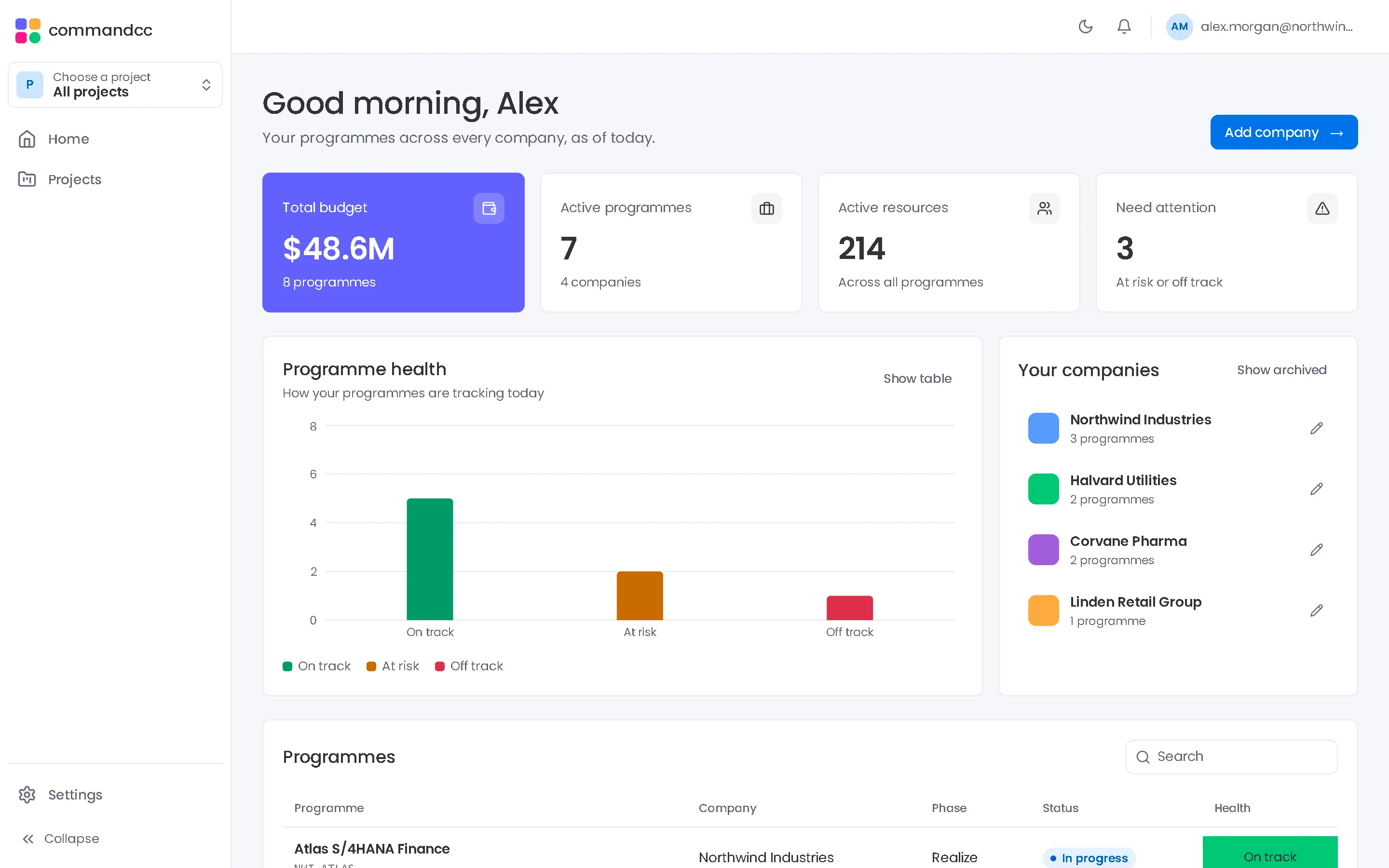
Problems CommandCC is built to remove
Every report looks different
Programmes report in their own templates, so comparing them takes more effort than reading them.
Green until it is red
Ratings set by hand move late. CommandCC shows schedule, budget and gate progress computed from the plan, the costs and the gates beside each rating.
Decisions arrive without context
Change requests and gate approvals reach you without their budget and timeline impact on one page.
The modules that matter most
Portfolio and reporting
The same executive summary for every programme, read from live records.
- Executive summary
- Dashboard
- Status reports
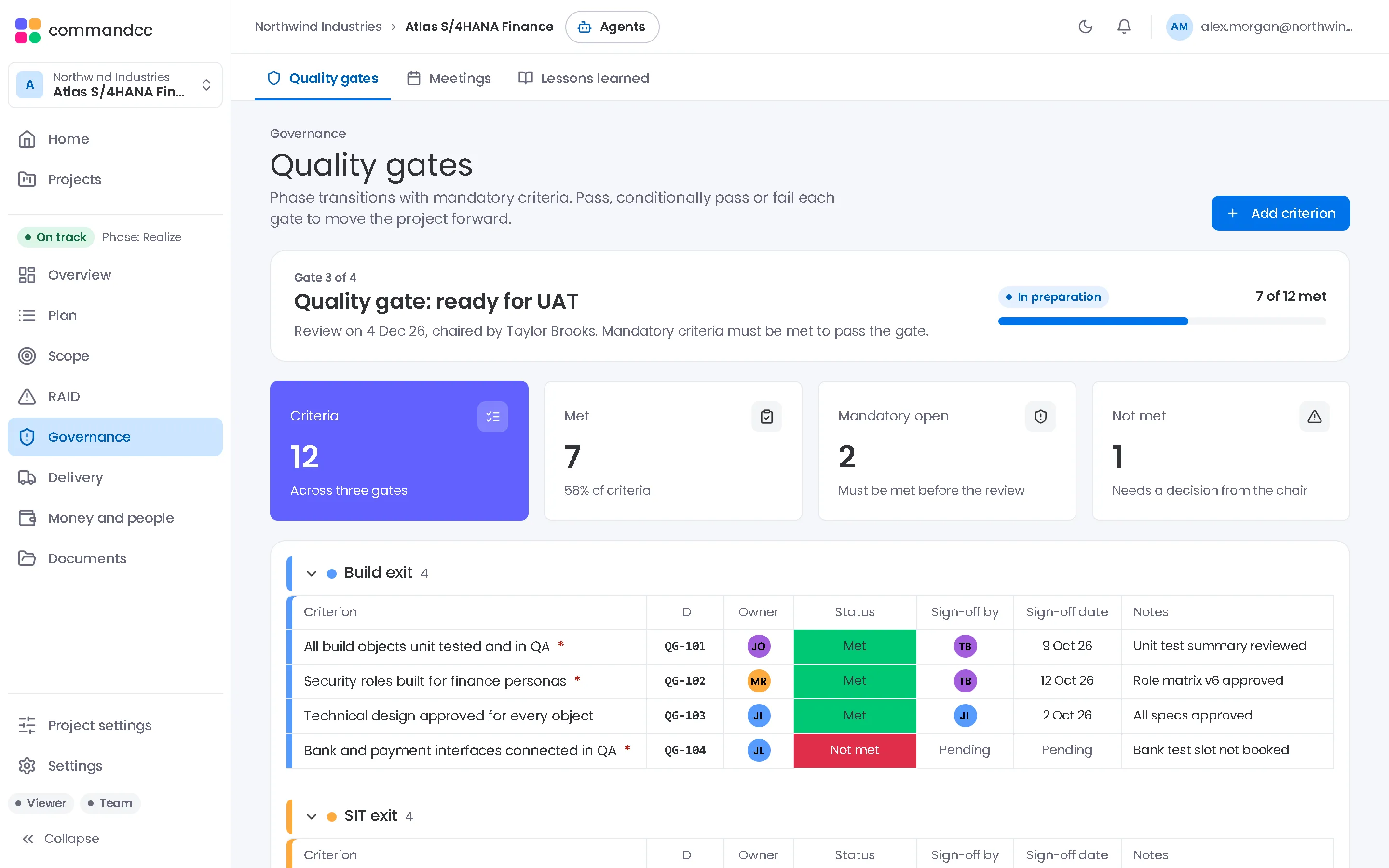
Governance
Which gates are blocked, by which criteria, and who owns them.
- Quality gates
- Meetings
- Lessons learned
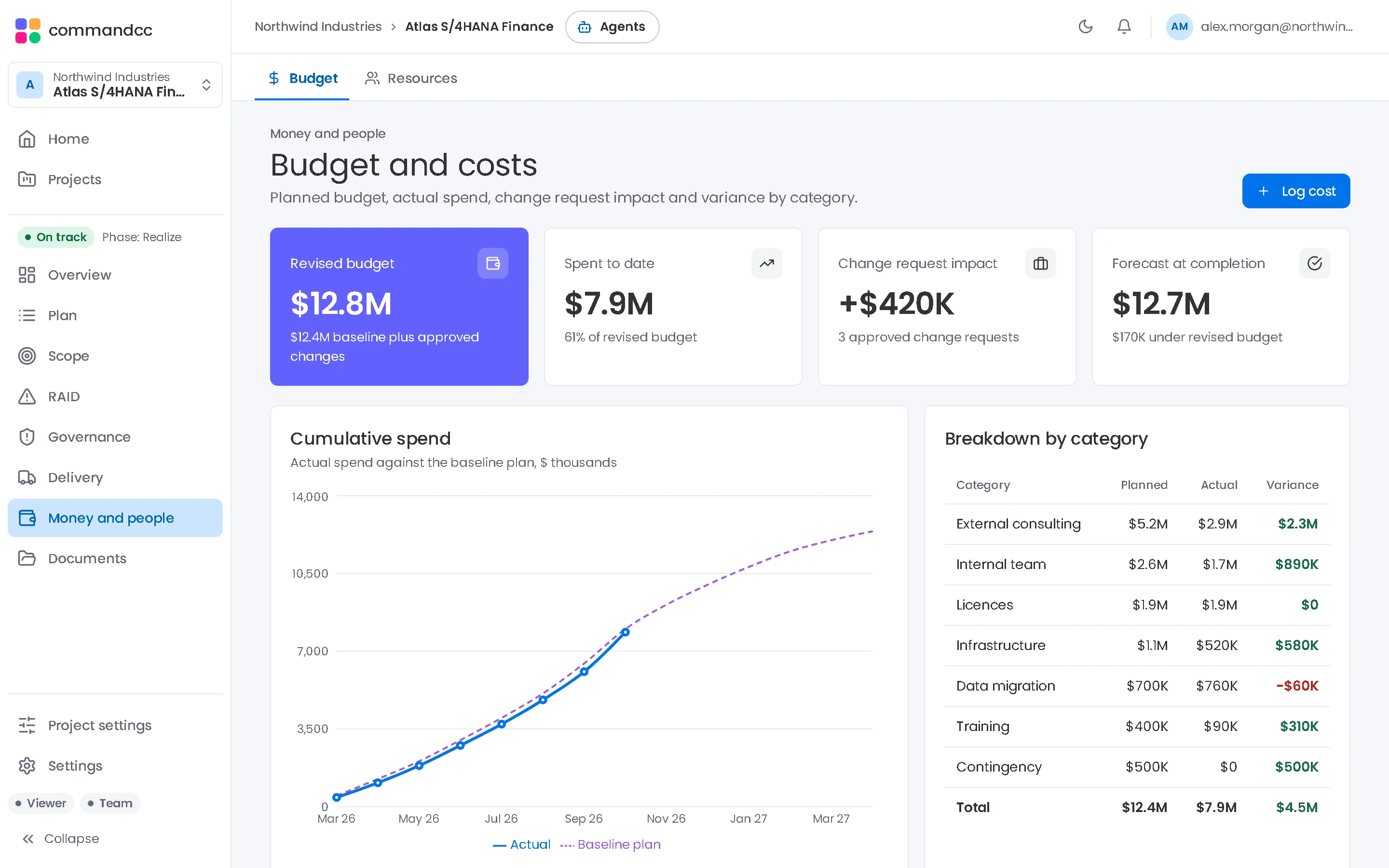
Budget and resources
Spend against plan and the cost of approved changes.
- Budget
- Resources
AI assistant
A second reading of programme health, with concerns and early warnings.
- AI assistant
An AI health reading rated amber with 68 percent confidence, listing a concern, an early warning, something going well and a recommendation.
Preparing for a steering committee
- Open the portfolio view and pick out the programmes rated amber or red.
- Open each executive summary and read the top risks and the progress by phase.
- Check the next gate and the criteria that are still open.
- Review spend against plan and any change requests waiting for approval.
- Run an AI health reading and compare it with the programme manager's commentary.
Common questions
Do I need to be a member of every programme?
You see the companies and programmes you are a member of. Ask the administrator to add you with a viewer or stakeholder role where you need oversight without editing.
Can I compare programmes delivered by different integrators?
Yes, when they run in CommandCC. Every programme uses the same summary, so a programme run by one integrator reads the same as one run by another.
Talk to us about the programmes you run.
Tell us how many programmes you run, which applications they implement and how you report today. We will show you CommandCC from your seat.